Windows
x64 installer
The Windows installer is on its way.

Browse, read, write, subscribe and call methods on any OPC UA server. See what was requested and what the server revised, review every certificate before you trust it, and read each service call as decoded UA Binary. Native Rust, with no browser engine inside.
A dense, keyboard-first workspace where values, negotiated parameters and service calls get the room and the chrome steps back. Every screen here is the real app, shown on its built-in simulator's fictional water-treatment plant.
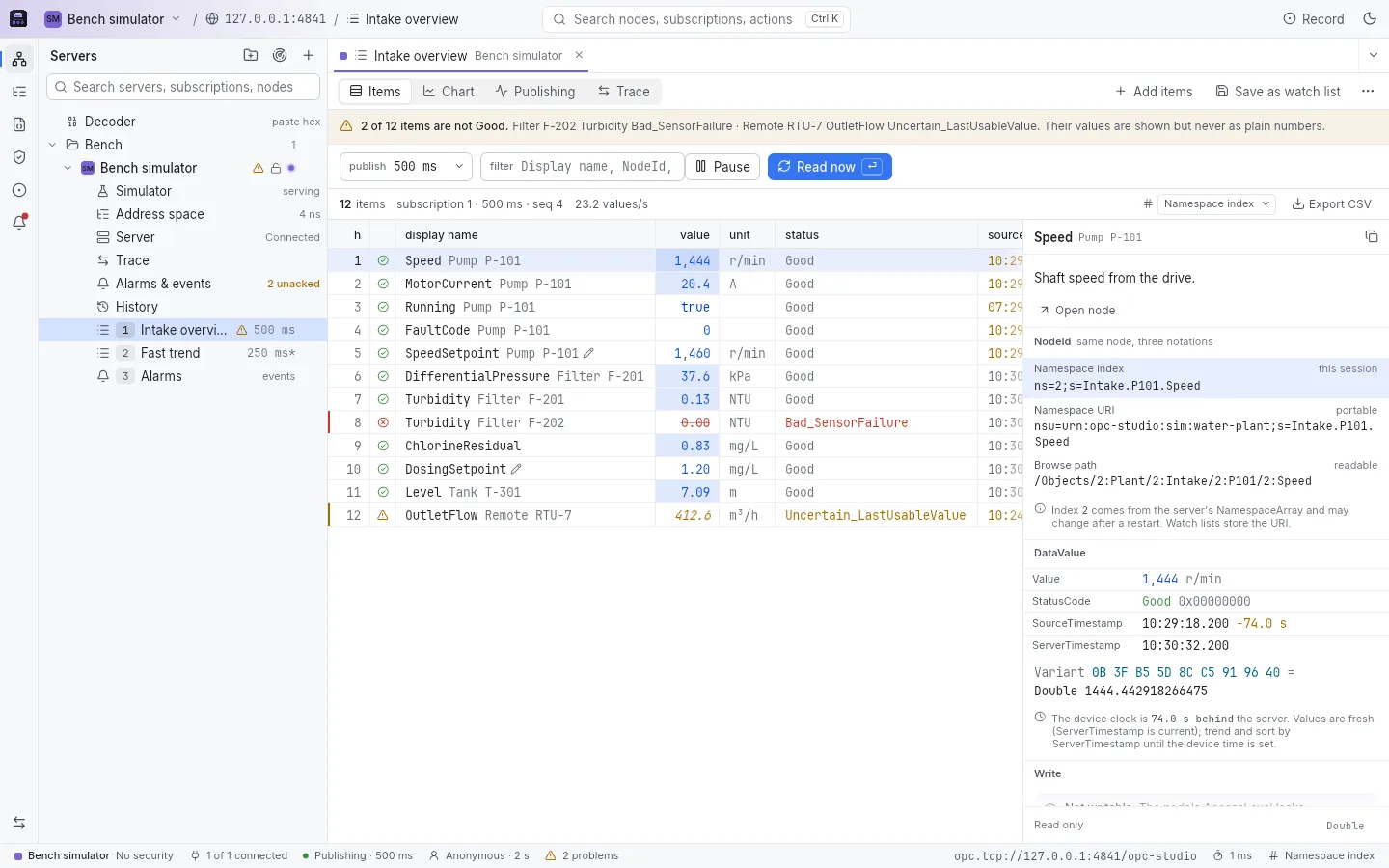
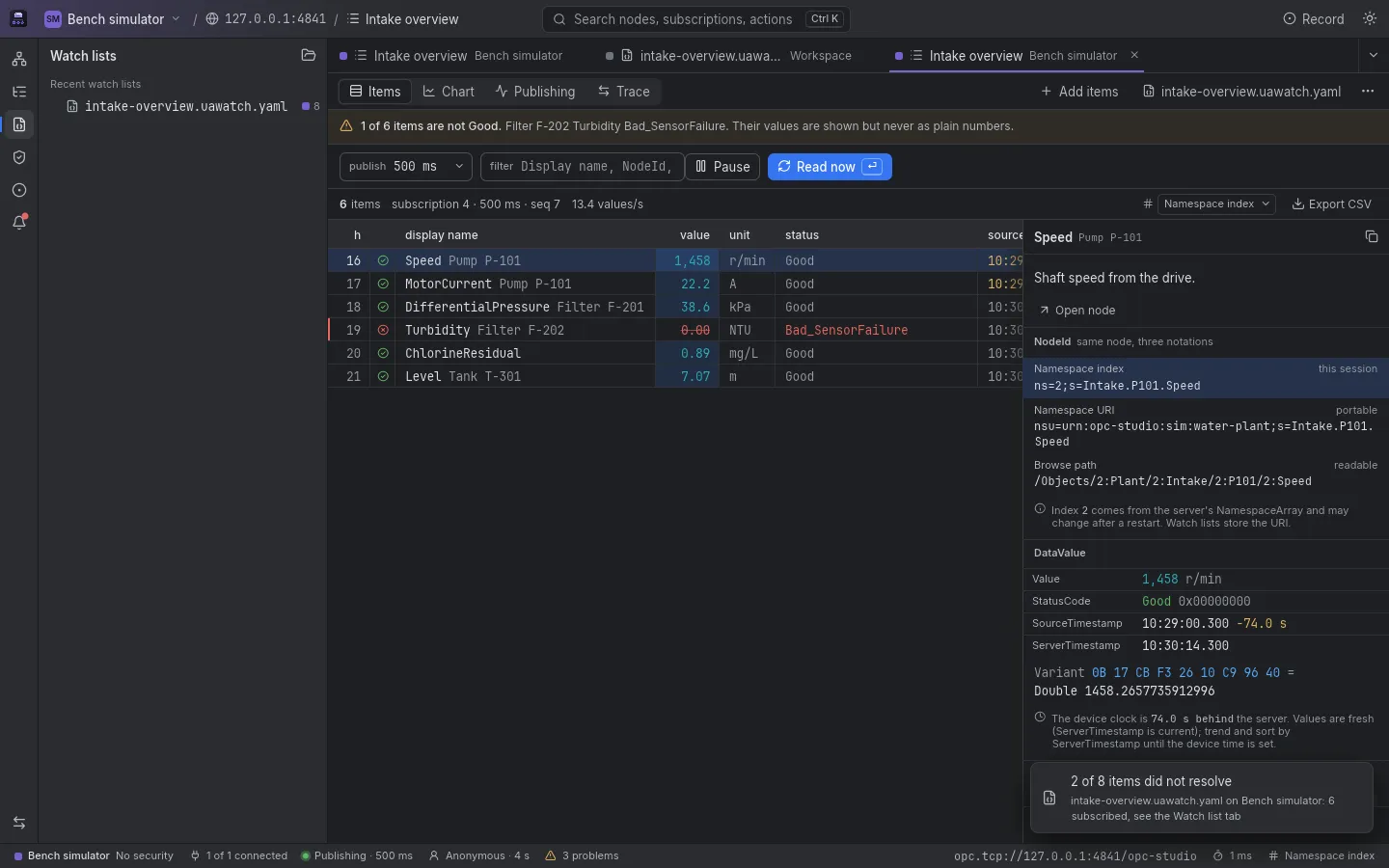
A grid of monitored items with value, unit, StatusCode and timestamps. A Bad value is struck through, an Uncertain one is in italics and a stale one shows its age, so none of them passes for a plain number. When the device's clock runs behind the server, the inspector says so.
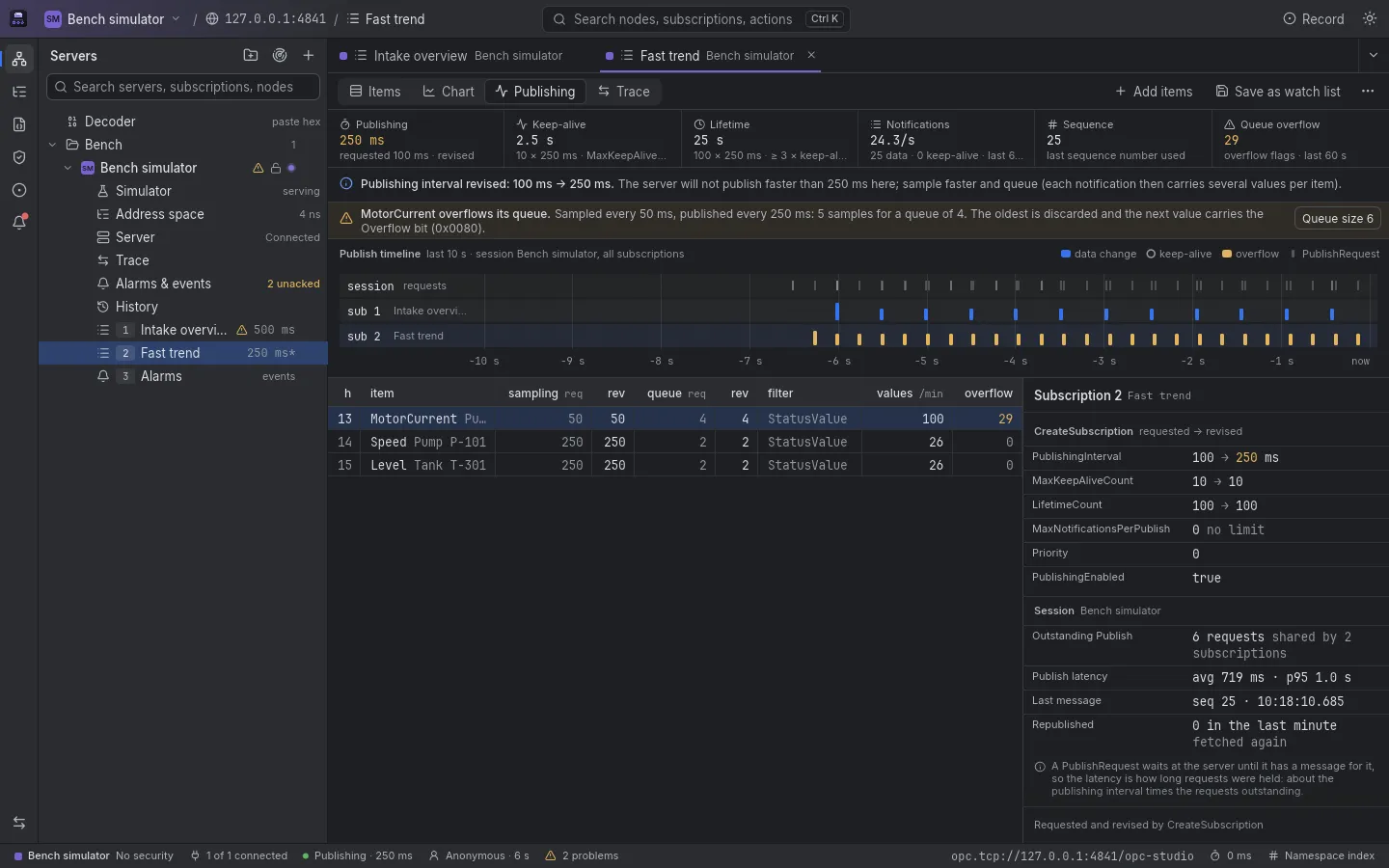
Requested next to revised, always: publishing interval, keep-alive, lifetime, sampling and queue size. A timeline of data changes, keep-alives and PublishRequests, and when an item overflows its queue a notice with a one-click fix that sends ModifyMonitoredItems.
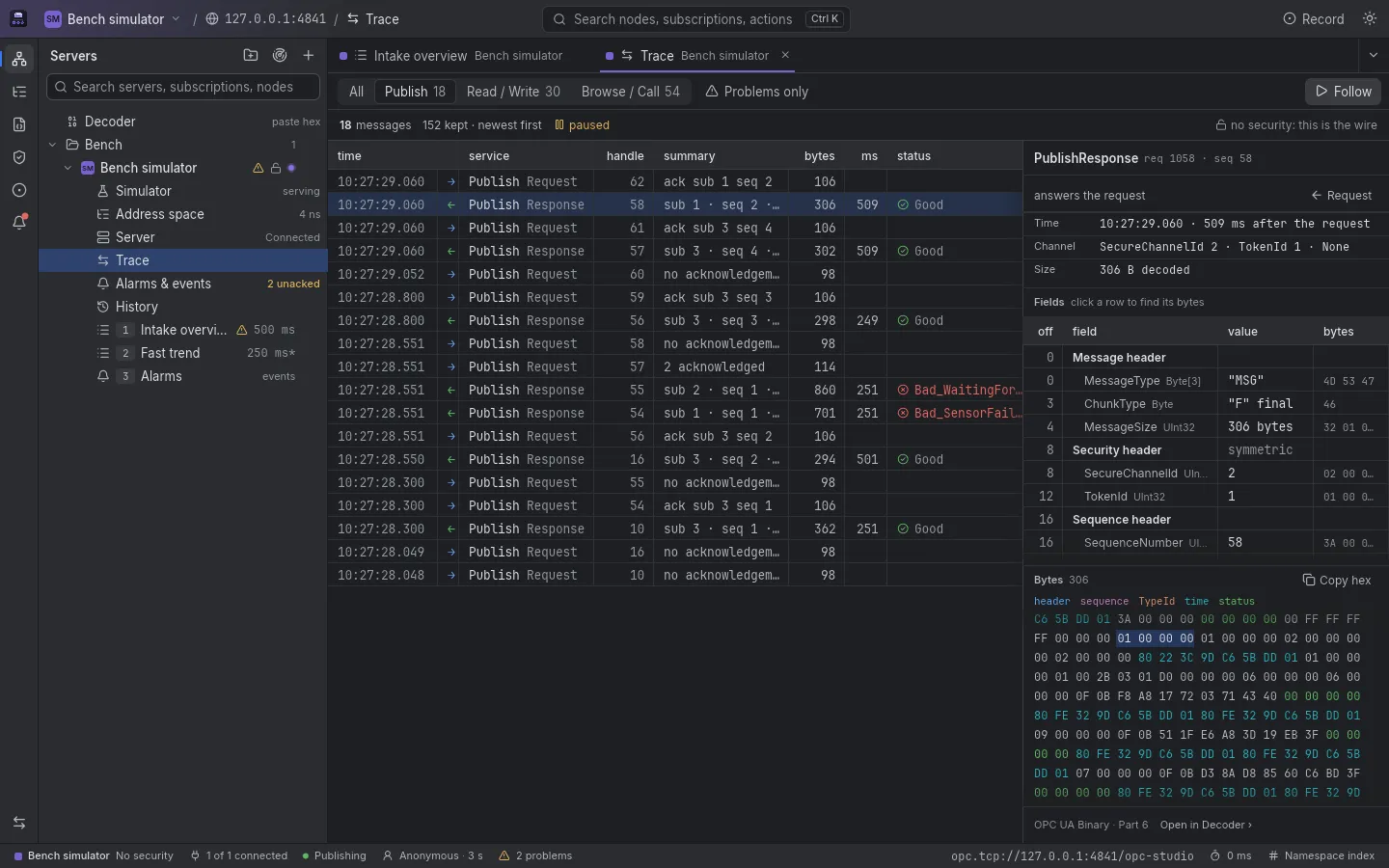
The service calls of the session (up to the last 5,000) as rows, request paired with response, with latency and status. Select one and it is decoded field by field, with the bytes of each field. On an encrypted channel it shows the message as the client encoded it, and says what the size was on the wire.
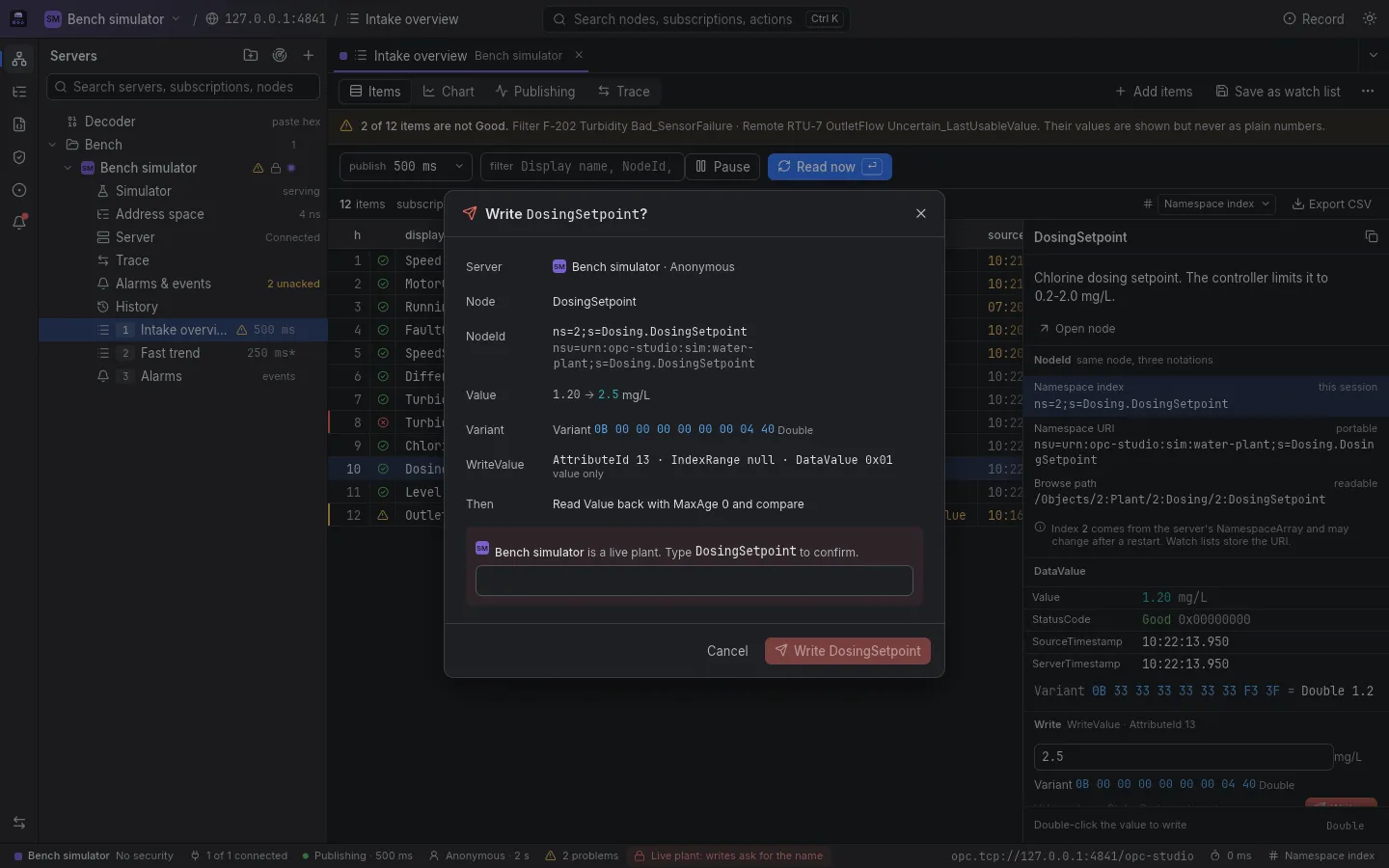
A write shows the Variant bytes and the WriteValue before anything is sent. On a live plant it asks you to type the node's name, and afterwards it reads the value back and compares it, so a clamped value is not a surprise. Read-only connections hide every write.
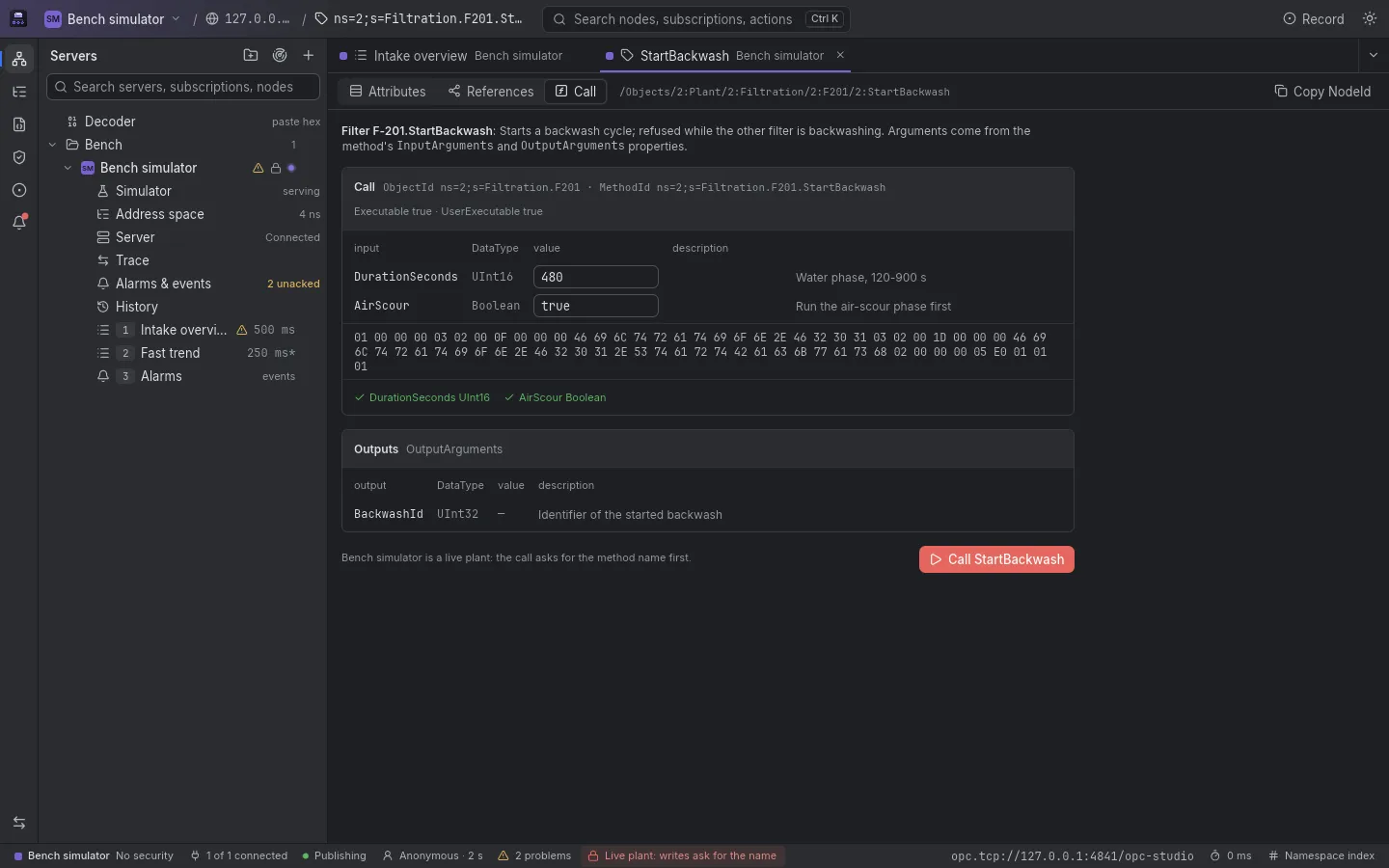
Inputs are typed from the method's InputArguments and validated before the call. The request's bytes are previewed, and the result shows each output and the status of each input argument. On a live plant the call asks for the method's name first.
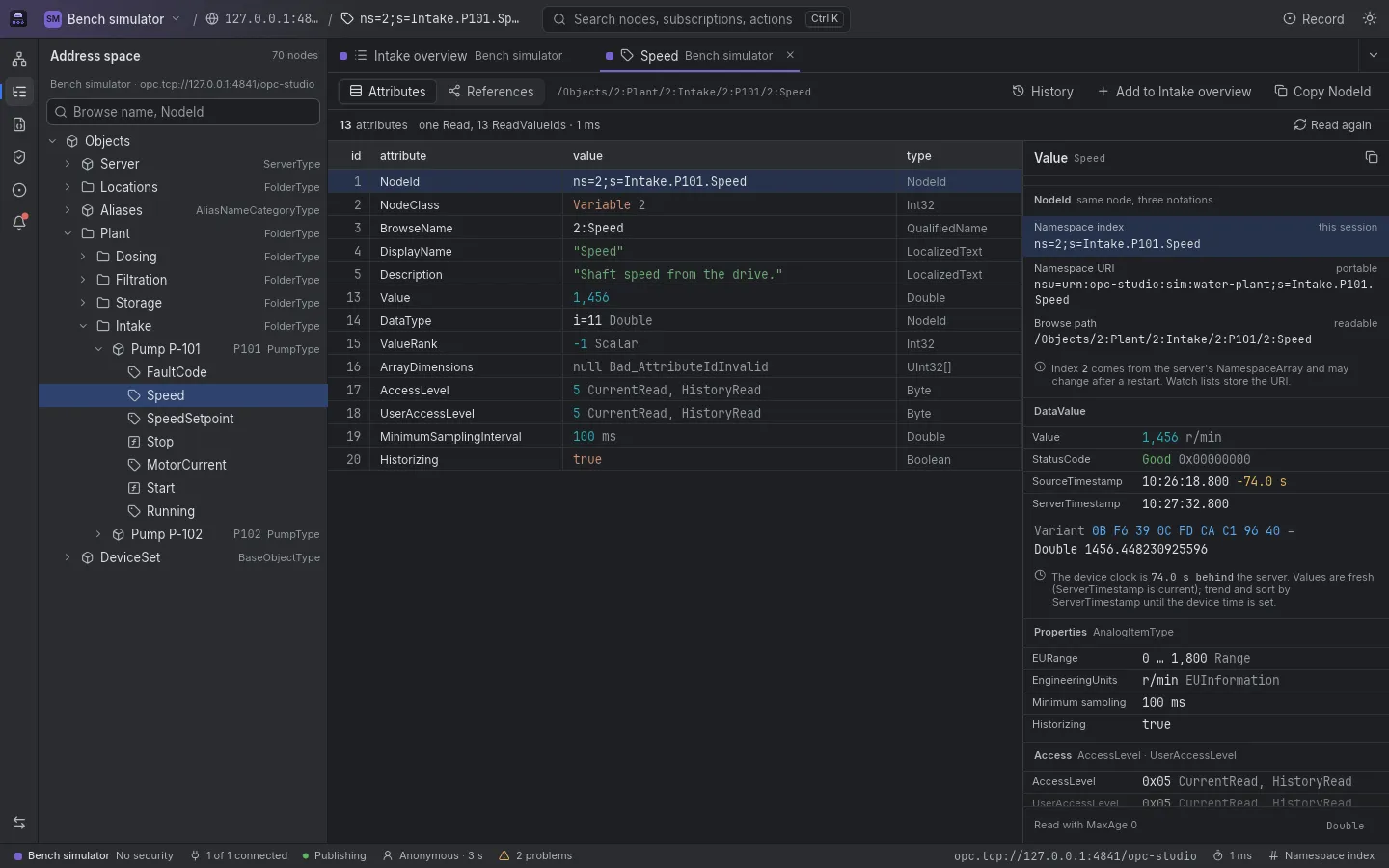
Every attribute of a node in one Read, its references in both directions, and the same NodeId in three notations: the session's ns= index, the portable nsu= URI and the browse path. A switch in the status bar changes every grid at once.
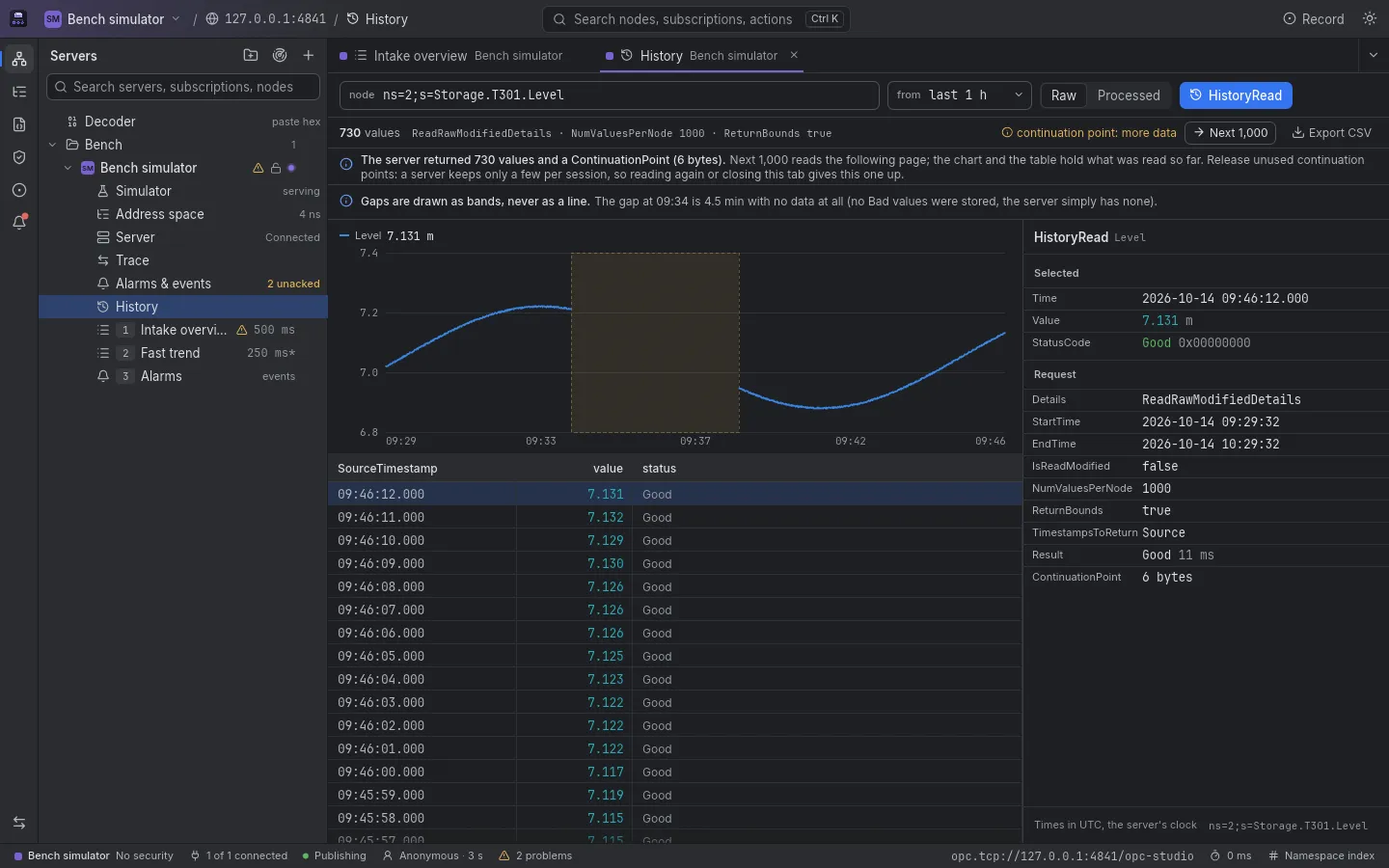
HistoryRead raw, or processed with an aggregate, over a range you choose. Continuation points are paged and released, a gap in the data is drawn as a gap, never as an interpolated line, and the status bits of each value stay visible. Export CSV.
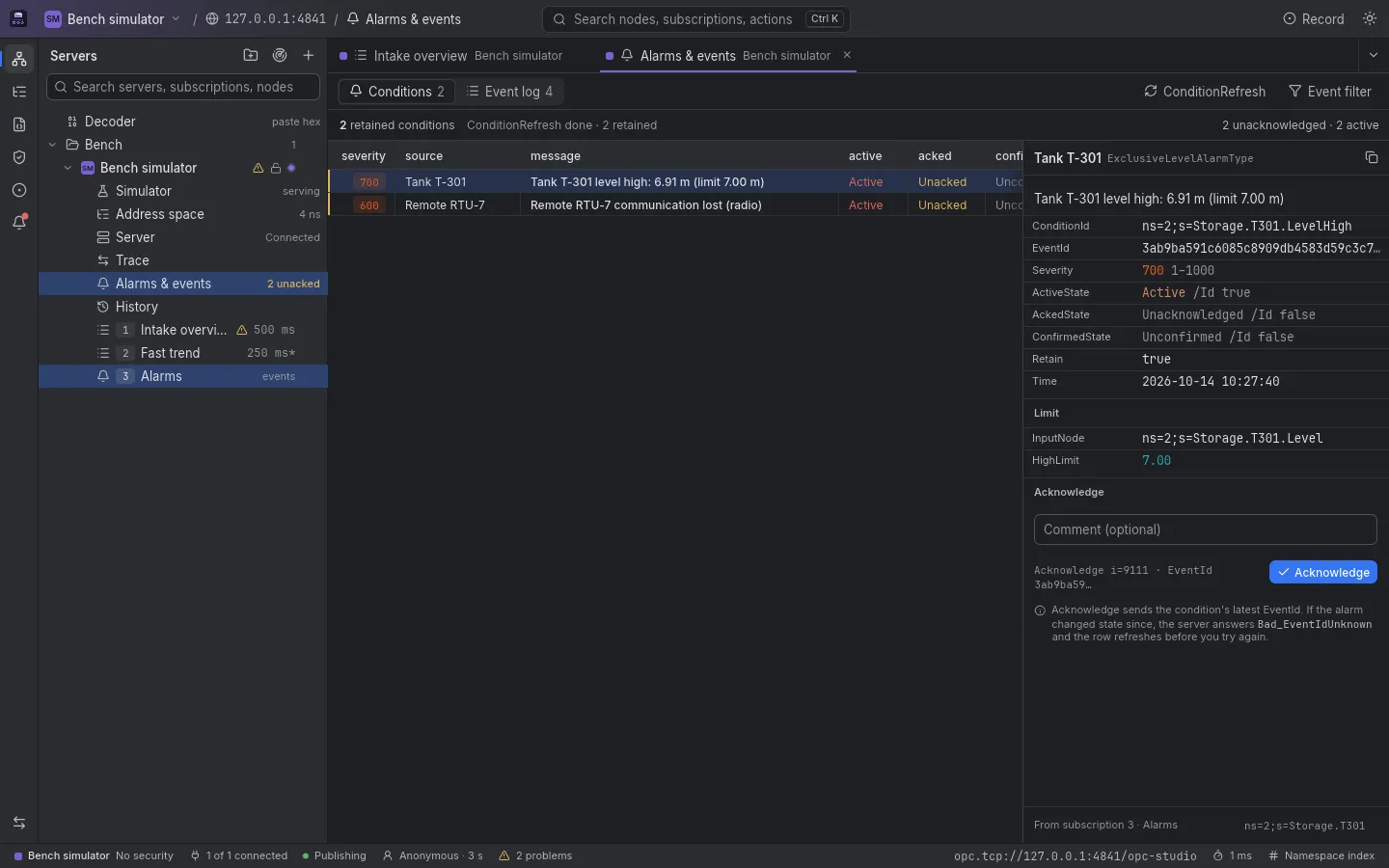
Retained conditions with severity, active, acknowledged and confirmed state, filled by ConditionRefresh, and an event log that shows the EventFilter it sent, clause by clause, with what the server said about each. Acknowledge and Confirm with a comment use the condition's latest EventId, and say so when it went stale.
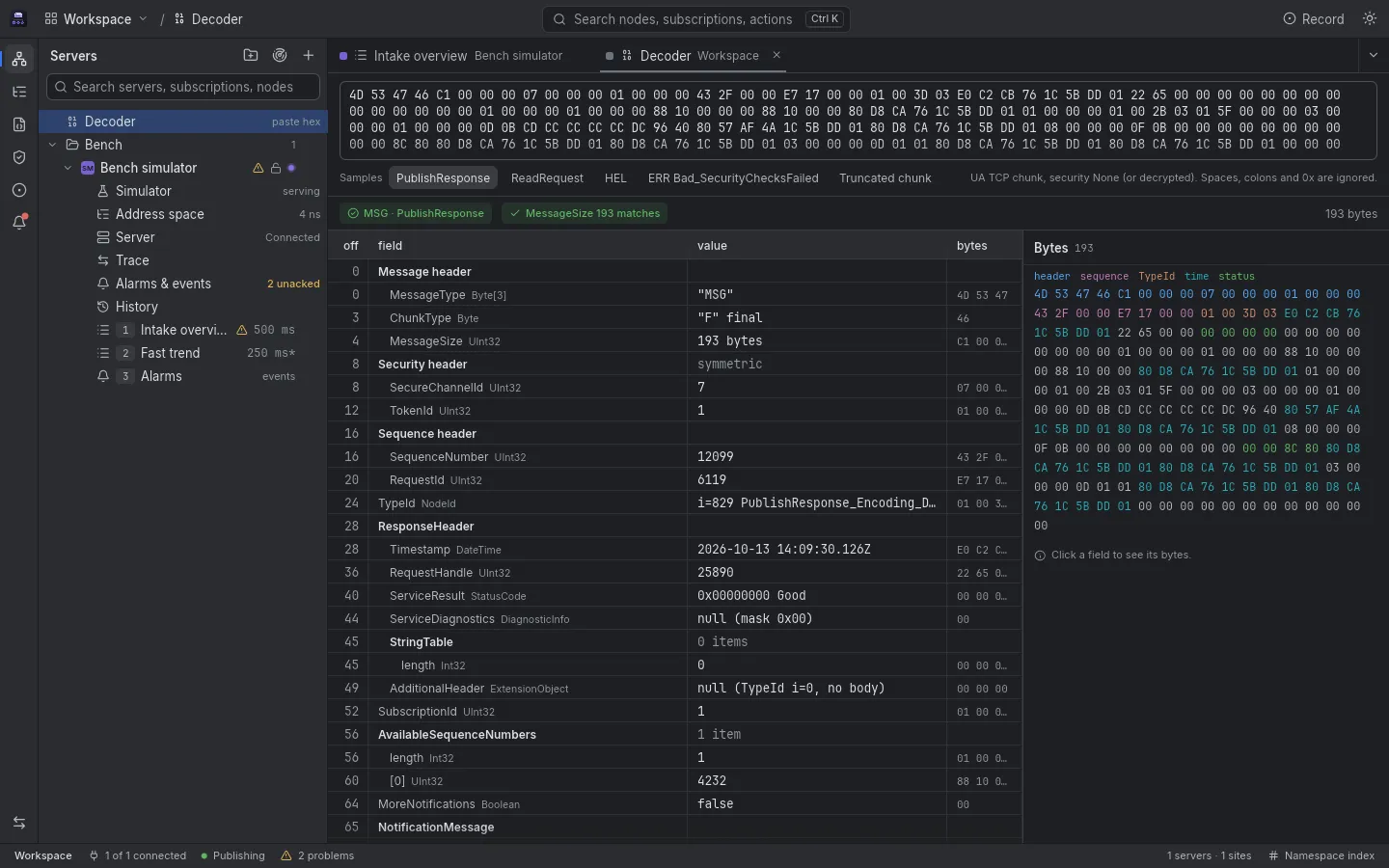
Paste the hex of one or more UA TCP chunks (MSG, HEL, ACK, ERR, OPN, CLO) from a capture or a log (unencrypted ones; the Trace's copies already are) and read them field by field, with the message size checked against the bytes. Or open a message from the Trace in it.
A subscription is a YAML file you can keep in git, with NodeIds stored by namespace URI and never by index. Opened on a server, it reports which nodes resolve and which do not, and subscribes only the ones that do.
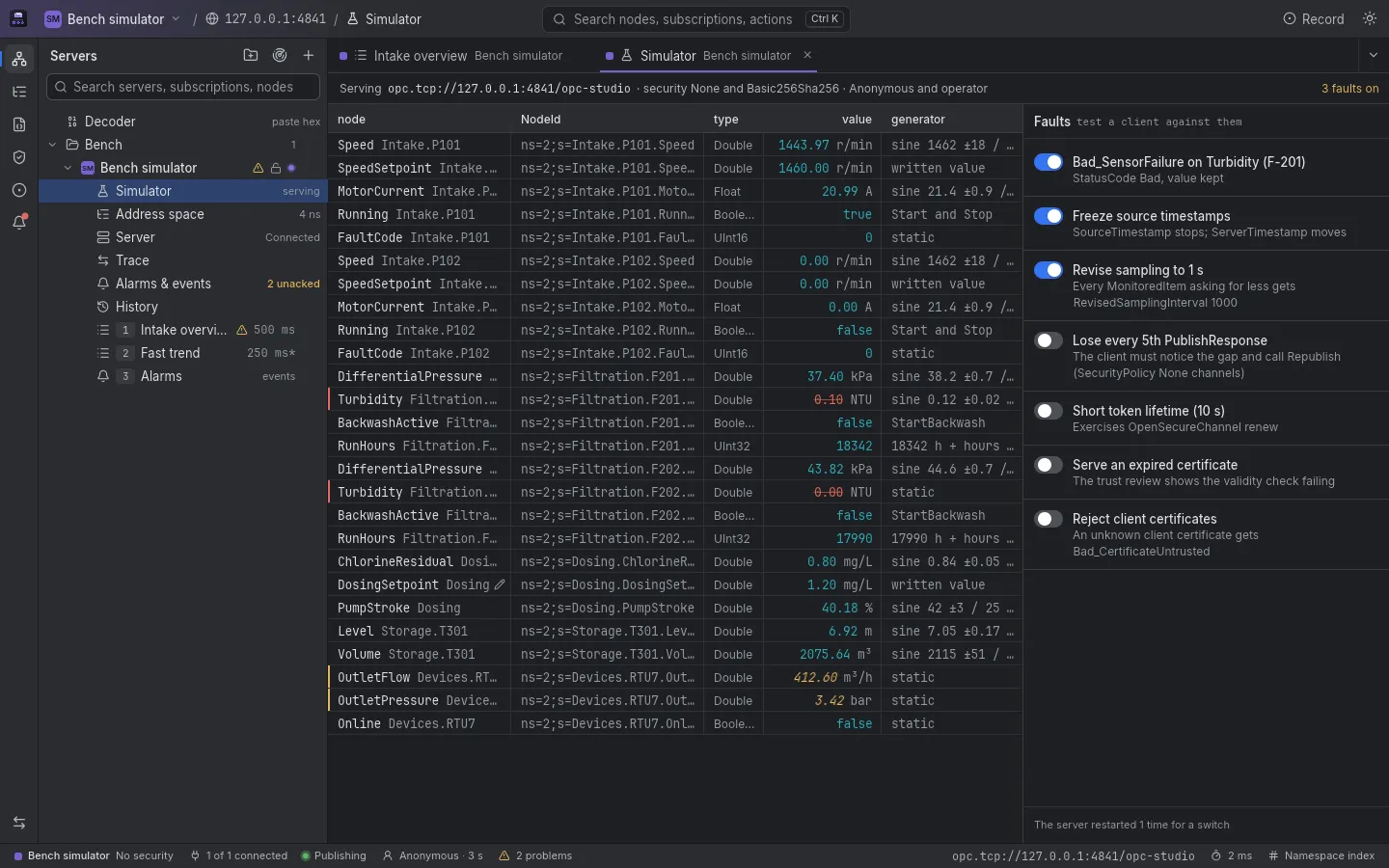
A built-in OPC UA server with a water-treatment plant to browse, subscribe to, write and call, over None and Basic256Sha256. Fault switches test a client against a bad sensor, frozen timestamps, lost PublishResponses, a short token lifetime or an expired certificate.
A SCADA server in the plant, a historian, a PLC on the bench and the built-in simulator sit in one explorer, grouped by site, each with its own color and with what you are allowed to do to it.
Servers
Live plants ask before any write Read-only hides them
Clients that accept everything teach you to ignore certificates, and clients that just fail leave you lost. OPC Studio stops before the secure channel opens, shows you the server's certificate with real checks, and answers plainly when a server turns you down.
An unknown certificate opens a review with its thumbprint in large type, to compare with the one the device shows itself. Nothing more is sent to the server until you decide.
Each check ends as Pass, Warn or Fail. While one fails, both trust buttons are disabled and the dialog says why. Otherwise you can reject the certificate, trust it for this session, or trust it permanently.
Certificates live in your data folder in the usual pki/ layout, named after their common name and SHA-1 thumbprint, so you can manage them by hand. A rejected certificate wins over a trusted one. Your own certificate is created on first start, and you can export its public half from the Certificates panel. Revocation lists are not read yet.
pki/
├─ own/
│  ├─ cert.der
│  └─ private/key.pem
├─ trusted/
│  ├─ certs/
│  └─ crl/
├─ rejected/
│  └─ certs/
└─ issuers/
   ├─ certs/
   └─ crl/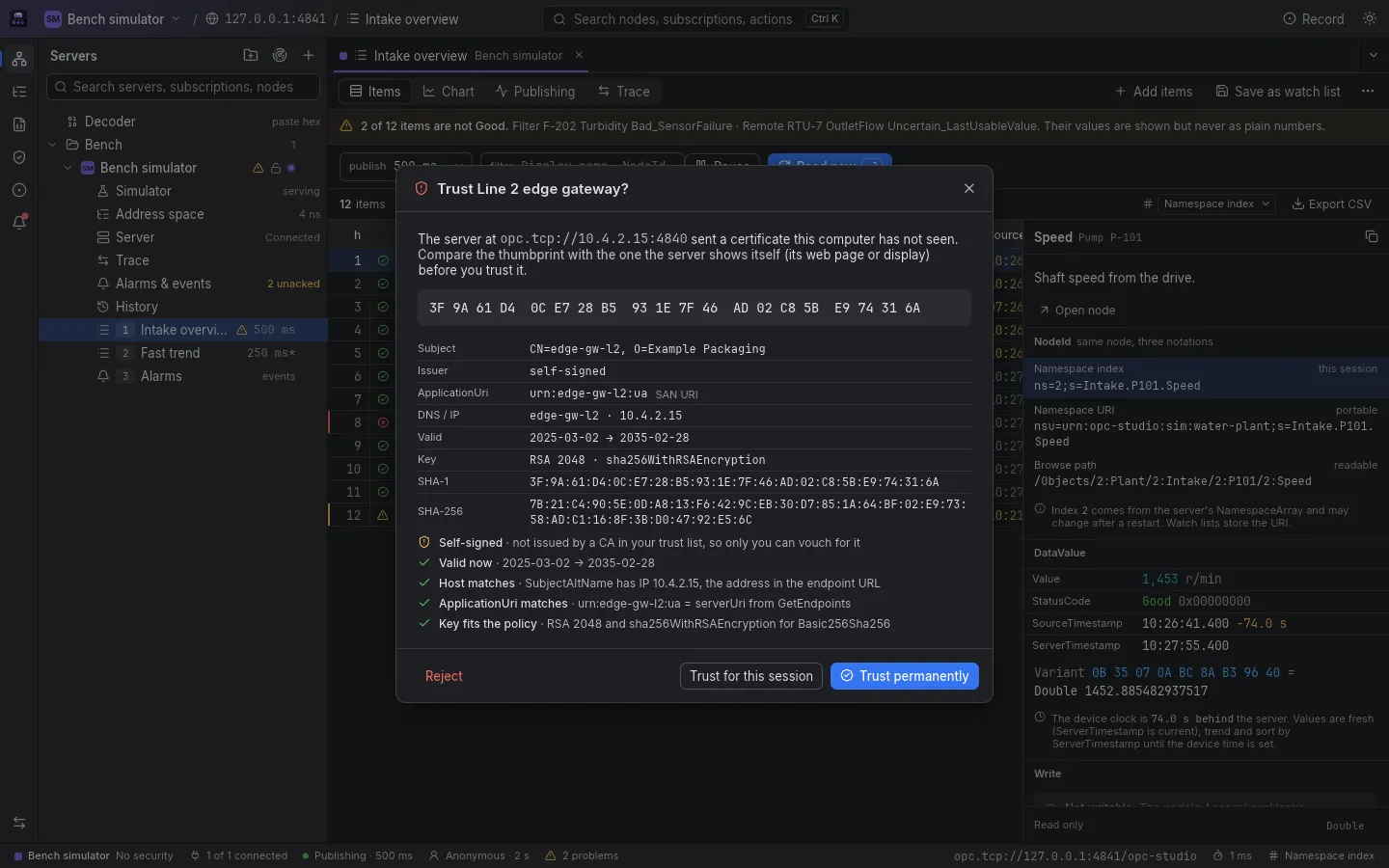
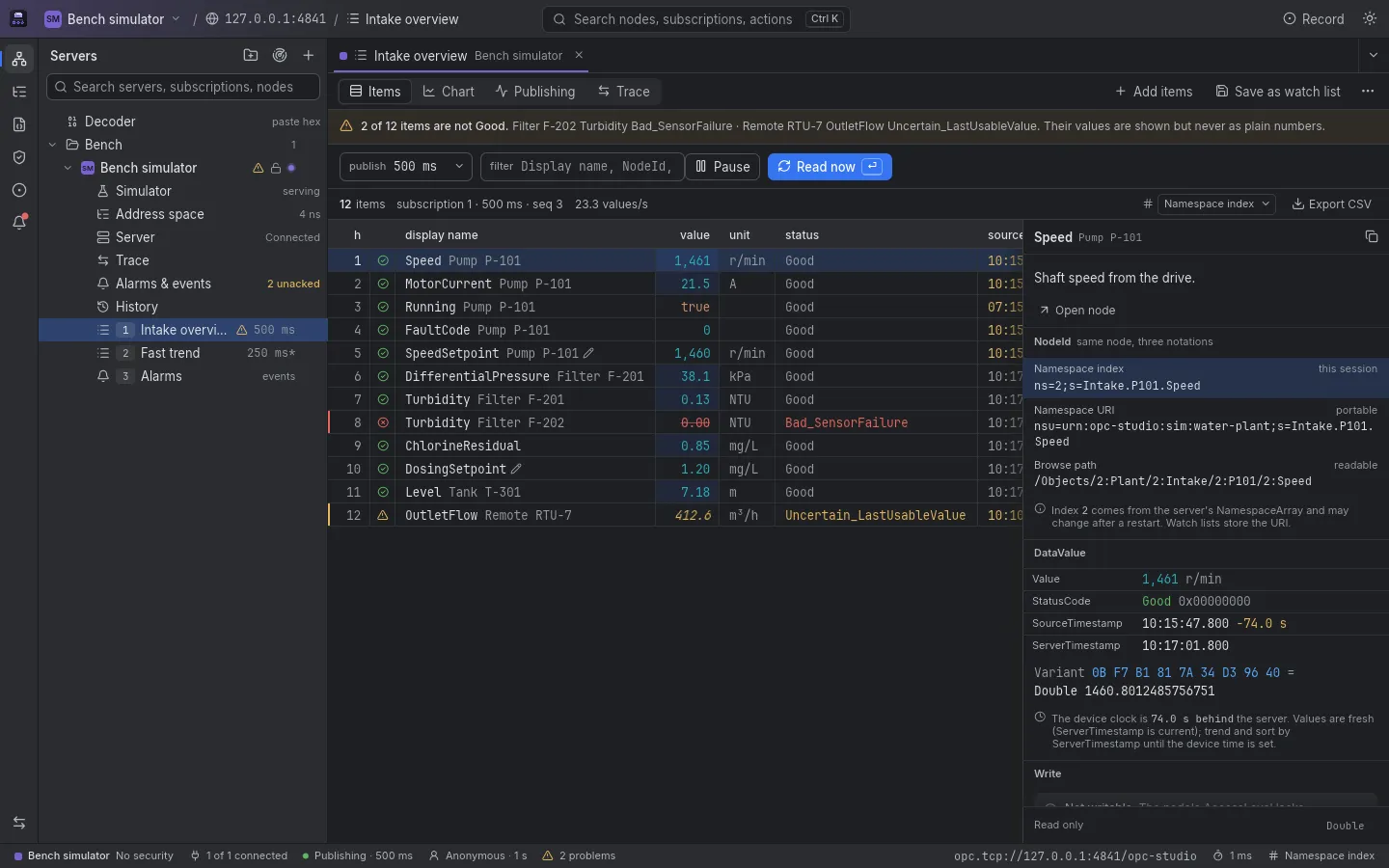
Twin dark and light themes, dark by default, built to sit next to your IDE. Drag to compare.
Version 0.1.0, free and open source.
x64 installer
The Windows installer is on its way.
Apple silicon
A disk image for Macs with Apple silicon.
x86_64
The .deb package and the AppImage are on their way.
Builds are not code-signed yet: a downloaded copy on a Mac may be reported as damaged until you clear its quarantine flag (xattr -dr com.apple.quarantine "/Applications/OPC Studio.app" in Terminal), and Windows shows a SmartScreen warning.